Before the first battle
- Pick Campaign if you want time to learn with permanent upgrades. Pick an Unranked Climb if you want to practice building from fresh drops. Check the mode comparison before spending resources.
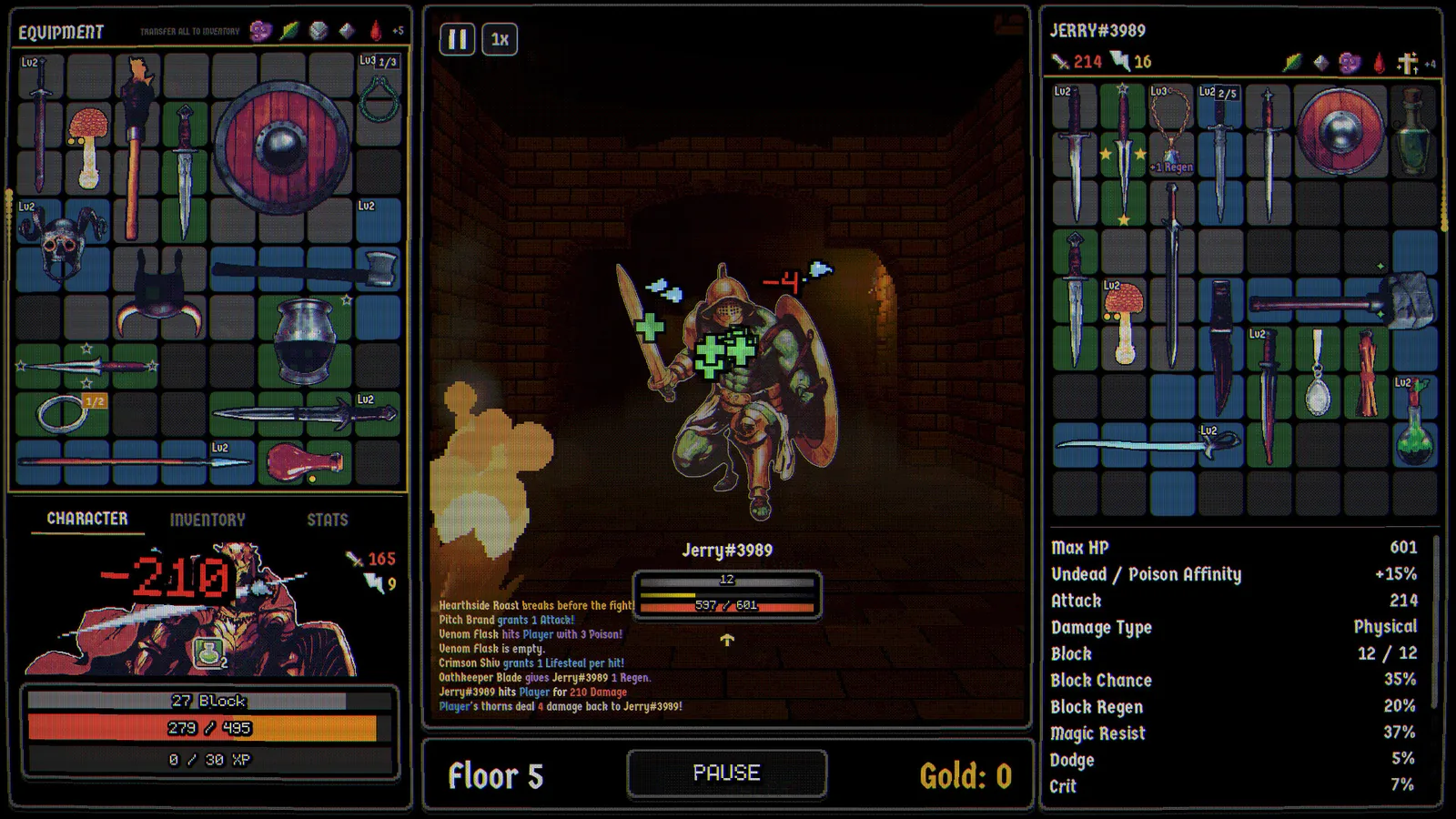
- Look at the Equipment grid and the separate Inventory bag. Place the pieces you want to use in the equipment area. If a shaped piece will not fit, try turning it while holding it. The PC guide by Tposegaming reports R for rotation. Check the in-game controls for your input device.
- Read the item’s trigger before making room for it. Put attack-triggered effects on the path your attack takes through the board. A timed effect has its own trigger, so inspect its tooltip instead of assuming it follows the attack.
- Start the fight and look for the effect you expected in the combat log or damage breakdown. Compare the right-hand rival board if the opponent has a similar effect that could confuse the result.

What to change after a loss
| What you saw | Try before the next battle |
|---|---|
| Your equipped effect never fired | Check the trigger text and where the attack travels. Move just that piece and look for its name again. |
| You died before your key effect fired | Make room for early damage or defense, then compare when the fight turns. Compare the next fight with a similar enemy when possible. |
| You have two good pieces and no room for both | Compare their separate roles before using the Fusion Forge. A fused piece still needs room on the grid. |
Use the inventory search or item-type highlight when the board gets busy. Lock pieces you want to keep before using the bag’s bulk-sell option.
Where to go next
Use the build checklist when a fight exposes a weakness, or read set counters before replacing a tagged piece.
Sources & verification
- Dungeonbound on Steam · louidev 2026-11-24
- louidev · v0.1.51 2026-11-24
- Tposegaming · PC controls and board guide 2026-11-24
- Dungeonbound.org · combat path and board 2026-11-24