
Use the Fusion Forge
- Enter a Fusion Forge and drag two eligible pieces into the slots. Start with a piece whose role you want to keep, such as the weapon your board depends on.
- Compare the variants if the forge offers two. Check the resulting shape, effects and before-and-after stats. If your key effect is gone or the result would not fit, check the other variant or choose Skip.
- Confirm with Fuse only when the preview suits the board. Place the result back into the equipment grid or the bag. Check the item’s trigger and expect to confirm it in the next combat log.
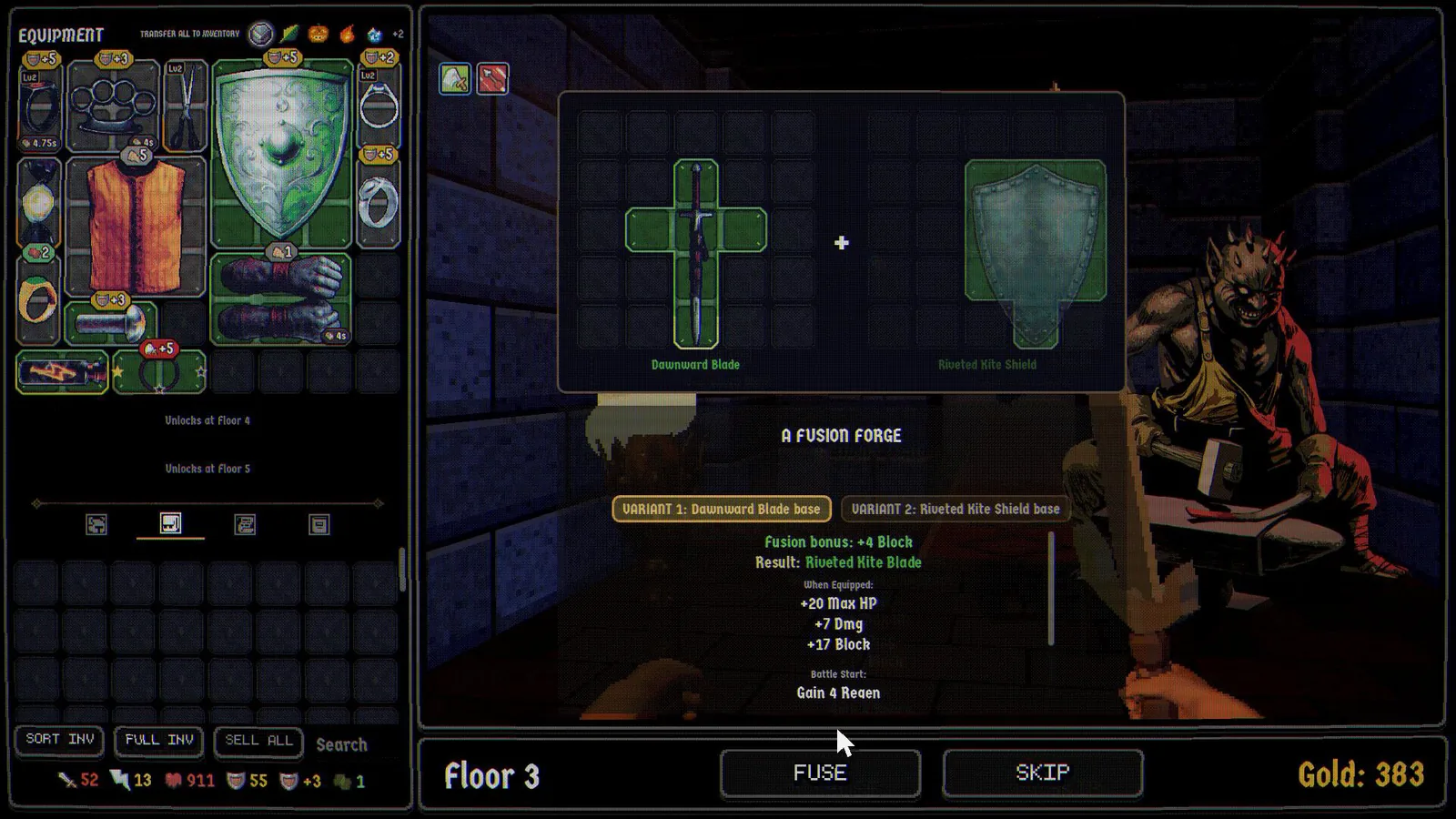

Merge, fuse, or upgrade?
| Situation | What to try |
|---|---|
| Two matching copies | Try an inventory merge when the pieces qualify for it. A duplicate upgrade solves a different problem from combining two effects. |
| Two different roles competing for space | Compare the normal Forge’s outputs. Prefer a piece that retains the effect you can actually trigger. |
| One good item already fits the build | Inspect the Upgrade Altar cost before replacing your gear. |
| The station says Mega Forge | Read its list of what would be lost. A large combined piece may be awkward to place. |
| A shrine asks you to spin with a weapon | The v1.0.14 Slot Machine is a separate shrine that can bless a weapon. |
Check the result before committing
The developer documented two variants and before-and-after stats in v0.1.51. The v1.0.12 notes fixed retention of gems, growth and abilities. Refillable potions received fusion support in v0.1.50. Use your current preview to check the exact outcome for the pair in front of you, especially with unusual items.
Afterwards, check your set count and see whether the new board still solves the same build problem.
Sources & verification
- Dungeonbound on Steam · louidev 2026-11-24
- louidev · v0.1.50 2026-11-24
- louidev · v0.1.51 2026-11-24
- louidev · v1.0.12 2026-11-24
- louidev · v1.0.14 2026-11-24